Best Medical Alert Systems for Seniors with Fall Detection (2026)
The best medical alert systems for seniors with fall detection (2026), are designed to protect older adults living alone by automatically calling for help after a fall.
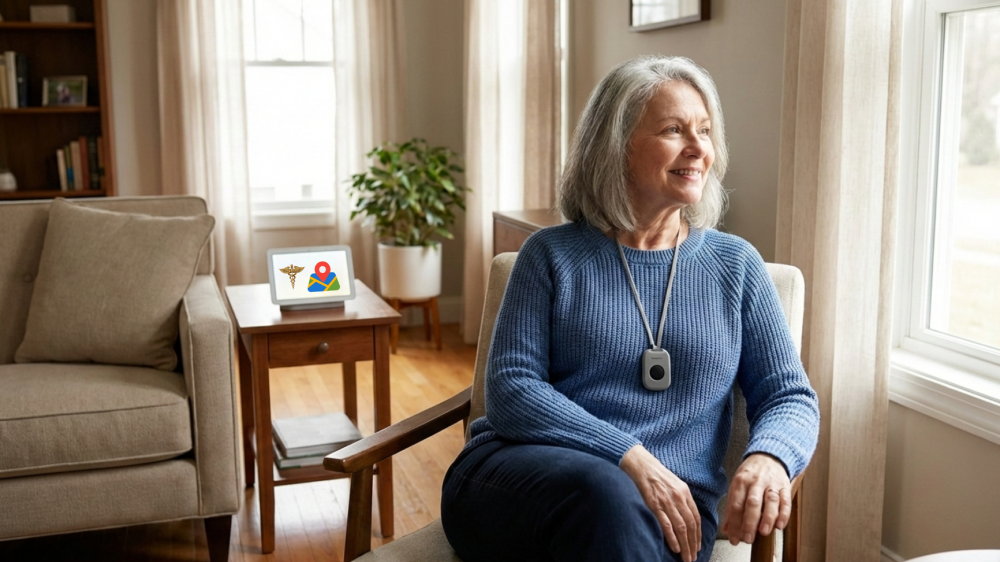
Important safety note: Medical alert systems are safety devices designed to help seniors call for assistance after an emergency. They do not prevent falls, do not replace supervision, and do not substitute for medical care.
If you are noticing warning signs that an elderly parent may no longer be safe living alone—such as recent falls, balance issues, or delayed responses after an incident—a medical alert system with fall detection is often the first safety upgrade families consider.
This guide focuses only on in-home medical alert systems (base station + wearable pendant), not mobile GPS units. It is written for adult children evaluating safety risks, as well as seniors researching independently.
Why Medical Alert Systems Are Often the First Step After Safety Warning Signs
In many families, the turning point comes after one of these events:
- A fall that went unnoticed for hours
- A near-fall where no one was present to help
- Difficulty getting up after sitting or lying down
- Delayed responses to phone calls or doorbells
These situations are commonly listed in early safety warning checklists for seniors living alone. A medical alert system does not solve all risks—but it reduces response time, which is often the difference between a manageable incident and a medical emergency.
What “Fall Detection” Actually Means (And What It Does Not)
Fall detection uses motion sensors and algorithms to identify sudden, forceful movements consistent with a fall. If detected:
- The system automatically contacts the monitoring center
- The operator attempts two-way voice communication
- Emergency contacts or 911 are dispatched if needed
Limitations you must understand:
- Not all falls are detected
- Slow slides or controlled descents may not trigger alerts
- False positives can occur
- User compliance (wearing the pendant) is critical
Fall detection should be viewed as a backup, not a guarantee.
Who Should Consider an In-Home Medical Alert System With Fall Detection
This category is most appropriate when:
- The senior spends most time at home
- There is no full-time caregiver
- The home has stairs, bathrooms without grab bars, or slippery floors
- The senior has a history of falls or balance issues
- Adult children cannot check in daily in person
If wandering, dementia, or outdoor risk is the primary concern, GPS trackers are a different category and should not be confused with in-home alert systems.
Key Features That Actually Matter (Ignore the Marketing)
When evaluating systems, prioritize these factors:
1. Monitoring Reliability
- 24/7 professional monitoring
- Clear two-way voice communication
- Redundant power backup
2. Fall Detection Accuracy
- Adjustable sensitivity (if available)
- Clear explanation of limitations
- Optional, not forced, add-on
3. Ease of Use
- One-button operation
- Comfortable pendant or wristband
- No smartphone required
4. Subscription Transparency
- Monthly cost clearly stated
- No hidden activation fees
- Month-to-month preferred over long contracts
Common Mistakes Families Make When Choosing a System
- Assuming fall detection is 100% reliable
- Choosing the cheapest plan without considering monitoring quality
- Ignoring pendant comfort (leads to non-use)
- Overpaying for features meant for mobile/GPS users
- Buying hardware without confirming subscription requirements
These mistakes lead to abandoned devices, which is worse than having no system at all.
Comparison Table: Best Medical Alert Systems for Seniors With Fall Detection (2026)
(Placement intentionally later to support informed decision-making)
| System | Fall Detection | Monthly Cost (Approx.) | Contract | Amazon Availability | Best For |
|---|---|---|---|---|---|
| Medical Guardian | Optional add-on | $35–$45 | Month-to-month | Partial (hardware/accessories) | Overall balance |
| Bay Alarm Medical | Optional add-on | $30–$40 | Month-to-month | Limited | Budget-conscious families |
| ADT Medical Alert | Optional add-on | $35–$45 | Monthly | Limited | Brand trust |
Note: Many full systems are sold directly by providers rather than Amazon. Amazon links are used where hardware or compatible products are available.
Cost Breakdown: What You Will Actually Pay
Expect the following realistic costs:
- Base monitoring: $20–$30/month
- Fall detection add-on: $5–$15/month
- Hardware cost : $65-$75
- Activation fees: Often waived, but confirm
- Equipment: Sometimes free, sometimes one-time purchase
Over a year, total cost typically ranges $300–$500.
Are Higher-Priced Systems Worth It?
Sometimes, yes.
Higher-priced systems may offer:
- Faster response times
- Better voice clarity
- More reliable fall detection algorithms
- Better customer support
The key question is not price—it is whether the system will actually be worn and used.
Who Should NOT Rely Solely on a Medical Alert System
This solution may be insufficient if:
- The senior frequently forgets to wear devices
- There is advanced cognitive decline
- Wandering or leaving the home unattended is common
- Multiple daily falls are occurring
In those cases, alert systems should be combined with home modifications, supervision, or alternative care arrangements.
How This Fits Into a Larger Senior Safety Plan
Medical alert systems are often the first step, followed by:
- Bathroom safety upgrades (shower chairs, grab bars)
- Medication management tools
- Bed rails or nighttime fall prevention
- Caregiver or monitoring adjustments
Each addresses different risk signals, not the same problem.
Final Takeaway
If you are responding to early safety warning signs, an in-home medical alert system with fall detection can significantly reduce emergency response time—but only when chosen realistically and used consistently.
This is not a cure. It is a risk-reduction tool.