
Best Large Button Phones for Seniors: Top 7 Picks [2026 Buyer’s Guide]
My father refused to carry a phone for years. Every time we bought him a smartphone, we’d find it sitting on the kitchen counter — uncharged, untouched, face down. “The buttons are too small,” he’d say. “I can’t read a thing on that screen.” We laughed it off as stubbornness. Then one afternoon he slipped on the back porch and had no way to call for help. We found him an hour later, shaken and cold, sitting on the steps. That was the moment our family got serious about finding the best large button phones for seniors — phones built for real people, not tech enthusiasts.
If this sounds familiar, you’re not alone. Across the United States and Canada, millions of aging adults avoid mobile phones entirely because modern devices feel overwhelming and impossible to use. Tiny text, complicated menus, fragile touchscreens, and near-silent speakers create a wall of frustration that leaves seniors disconnected from family — and dangerously unreachable in an emergency. The good news is that a new generation of senior-friendly phones has been specifically designed to tear that wall down.
This guide reviews the 7 best large button phones for seniors in 2026. We’ll cover pricing, ease of use, emergency features, carrier compatibility across the US and Canada, and exactly how to choose the right phone for your parent’s unique situation.
Why Seniors Struggle With Regular Phones
Today’s smartphones are engineered for 25-year-olds with sharp eyesight, fast reflexes, and years of experience navigating touchscreens. For older adults — especially those over 70 — standard phones create very real, very serious barriers:
- Tiny buttons and keyboards: Arthritis, reduced grip strength, and decreased finger dexterity make pressing small keys painful and frustrating
- Overwhelming menus: Dozens of apps, pop-up notifications, automatic updates, and constantly changing interfaces confuse seniors unfamiliar with smartphones
- Small, hard-to-read text: Age-related vision decline, cataracts, and macular degeneration make standard font sizes genuinely unreadable for many older adults
- Speakers that aren’t loud enough: Hearing loss affects more than 70% of adults over the age of 70 in North America — most standard phones simply cannot be turned up loud enough
- Short battery life: Many seniors forget to charge phones nightly; a phone that dies after 12 hours becomes a phone that’s never turned on
- No dedicated emergency button: Standard smartphones offer no simple, one-press way to call for help during a fall, medical event, or emergency
- Slippery, fragile designs: Large, glass-faced smartphones are easy to drop and expensive to repair — a major concern for seniors with reduced grip
The right large button phone eliminates every one of these barriers while keeping your parent connected, confident, and safe at home.
Types of Large Button Phones for Seniors
Before choosing a phone, it helps to understand the three main categories available in 2026:
Big Button Flip Phones
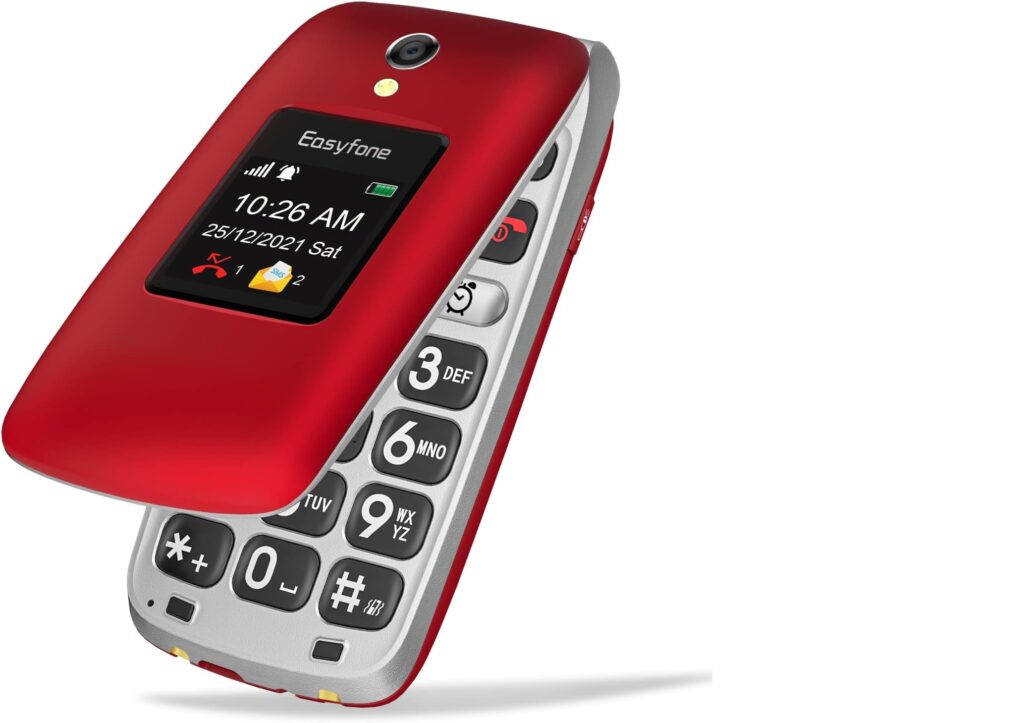
Clamshell-style phones with a physical keypad featuring oversized, clearly labeled buttons. Simple to operate, long battery life, and immediately familiar to seniors who grew up before smartphones. The flip design also prevents accidental calls when the phone is in a pocket or purse. Examples include the Jitterbug Flip2 and the Nokia 2780 Flip. These are the most popular choice for seniors in the US and Canada.
Simplified Senior Smartphones
Full touchscreen Android phones running a simplified interface with large icons, extra-large text, and menus reduced to only the essentials. Best for seniors who want to video call grandchildren on FaceTime or WhatsApp, view family photos, or send emails — but need a far less complicated experience than a standard iPhone or Samsung. Examples include the Jitterbug Smart4 and Doro 8100.
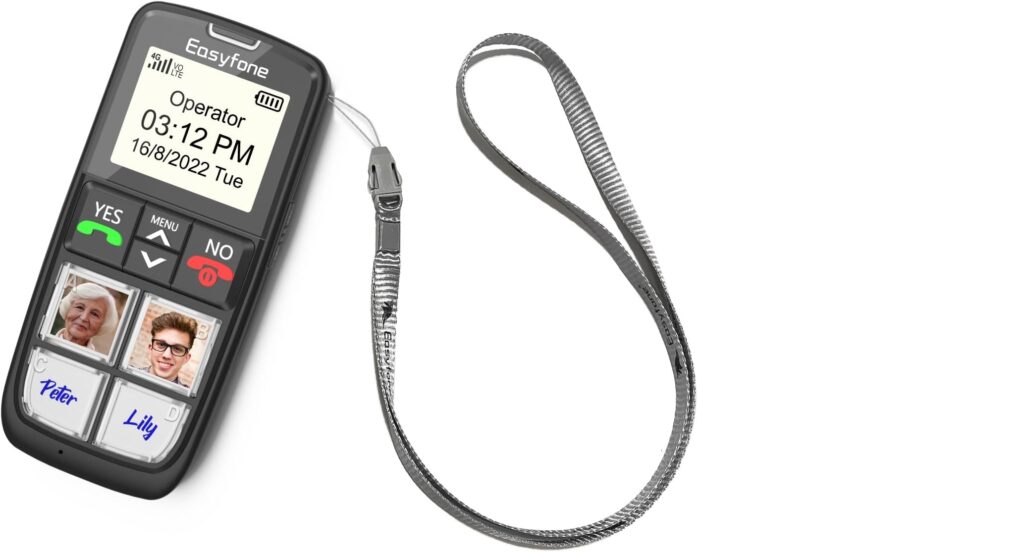
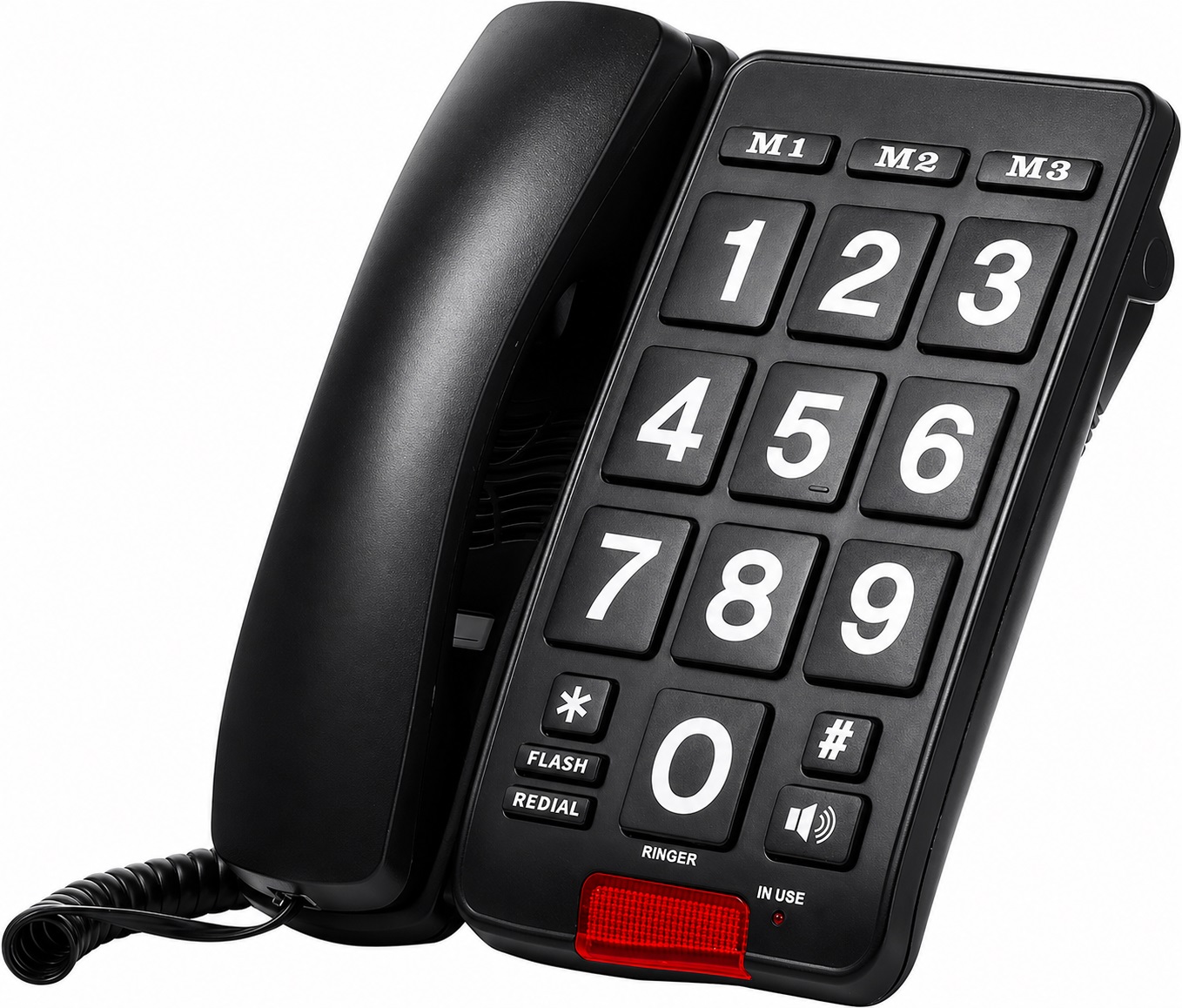
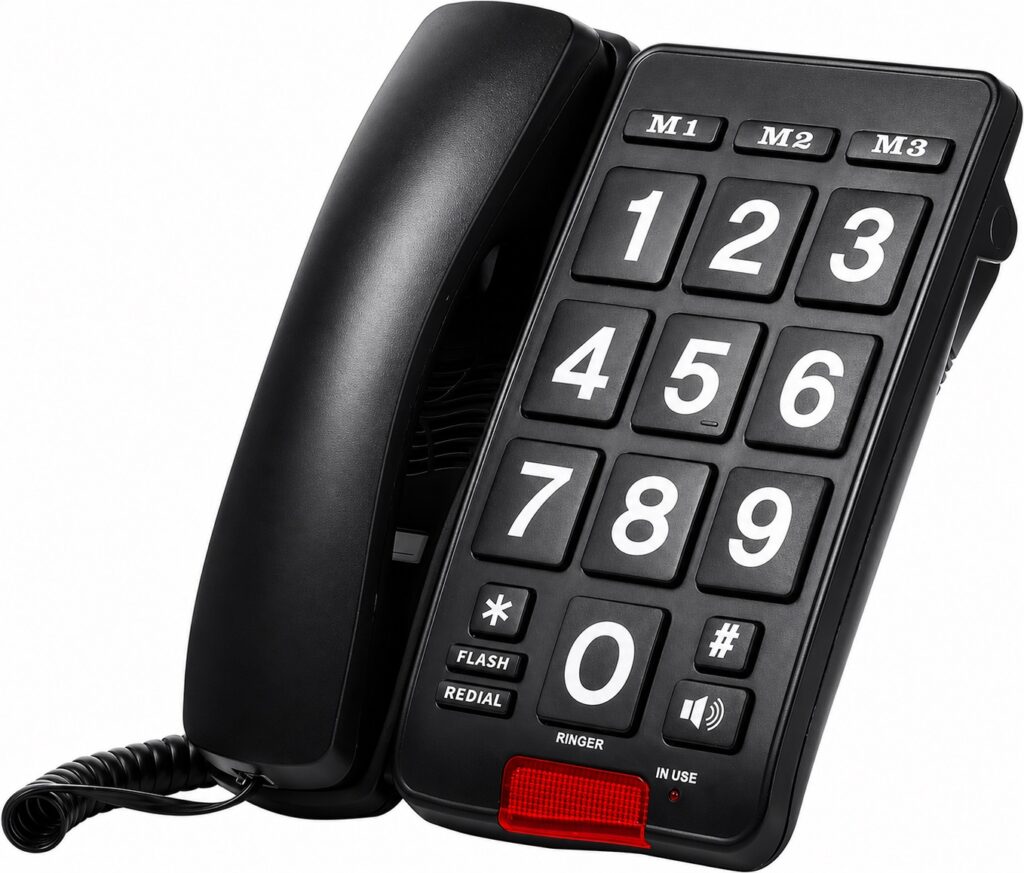
Basic Emergency Phones
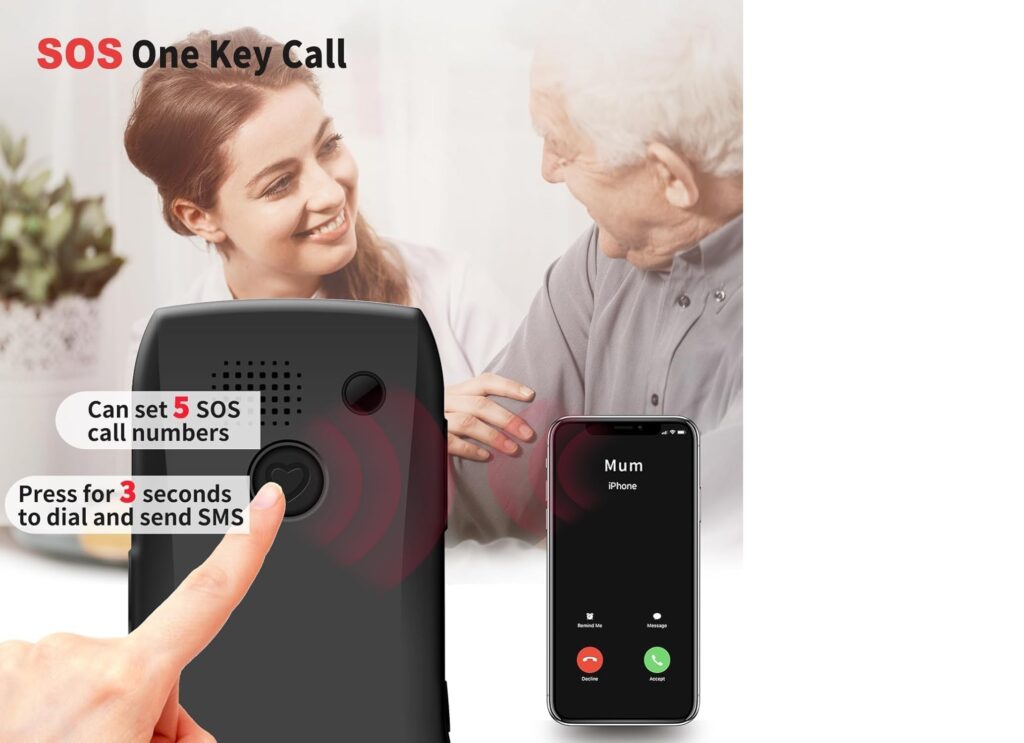
Stripped-down devices with just a handful of large physical buttons — typically a call button, an end button, and a prominent SOS emergency button. Designed purely for making and receiving calls and summoning help quickly. These are the most affordable option and ideal for seniors who only need essential communication. Examples include the Artfone C1+ and the RAZ Memory Cell Phone.
The 7 Best Large Button Phones for Seniors (2026)
We researched and compared dozens of phones available to seniors to identify the best options across price points, features, and use cases.
| Phone | Type | Price | SOS Button | Check Price in Amazon |
|---|---|---|---|---|
| Consumer Cellular IRIS Easy Flip | Flip | ~$49 | ✅ | Amazon |
| Jitterbug Flip2 by Lively | Flip | ~$99 | ✅ (24/7 agent) | Amazon |
| Jitterbug Smart4 by Lively | Smartphone | ~$149 | ✅ (24/7 agent) | Amazon |
| Nokia 2760 Flip | Flip | ~$49 | ✅ | Amazon |
| Artfone C1+ | Basic/Flip | ~$69 | ✅ | Amazon |
| Doro Leva E22 | Smartphone/Flip | ~$227 | ✅ | Amazon |
| TCL Flip 4 5G | Flip | ~$89 | ✅ | Amazon |
1. Consumer Cellular IRIS Easy Flip — Best Budget Pick
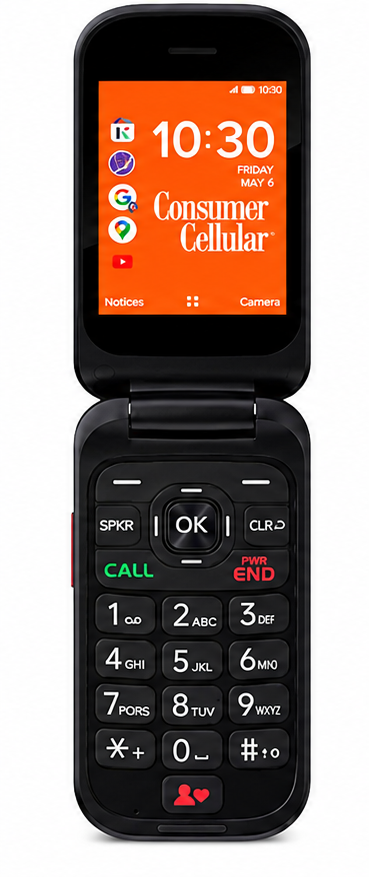
At just $49, the Consumer Cellular IRIS Easy Flip is the most affordable quality flip phone for seniors available in 2026 — and it punches well above its price. The phone features two large 2.8-inch screens, both inside and outside the flip, so your parent can read incoming calls and messages without even opening the device. The backlit keypad uses large, raised, well-spaced letters that are easy to press even for seniors with arthritis or reduced hand strength.
The simplified KaiOS interface displays only the most essential apps as large, clearly labeled icons — no confusing notifications, no accidental app updates, and no overwhelming menus to navigate. Call quality tested exceptionally well in both urban and rural areas, and the M4/T4 hearing aid compatibility rating is the highest possible score — meaning it works cleanly with virtually all telecoil-equipped hearing aids used by seniors across the US. Battery life delivers up to 7 hours of talk time and an impressive 13 days on standby — a genuine advantage for seniors who forget to charge their phone nightly.
The IRIS Easy Flip includes a 5MP camera with selfie mode, Wi-Fi, Bluetooth, GPS, and 4G LTE connectivity, making it far more capable than its $59 price suggests. Plans with Consumer Cellular start at just $20/month for unlimited talk and text — and AARP members receive an additional 5% discount on their monthly plan will make this Best Large Button Phones for Seniors.
Quick Specs:
- 📱 Display: Dual 2.8″ internal and external screens
- 🔋 Battery: 7 hrs talk time / 13 days standby
- 📷 Camera: 5MP with selfie mode
- 🦻 Hearing Aid: M4/T4 (highest rating)
- 📶 Network: 4G LTE
- 💰 Price: $49 (phone) + from $20/month (plan)
✅ Best for: Budget-conscious families who want a reliable, simple flip phone for a parent who primarily makes and receives calls, with the bonus of a camera and basic internet access.
2. Jitterbug Flip2 by Lively — Best Overall Flip Phone
The Jitterbug Flip2 remains the most trusted large button flip phone for seniors in North America in 2026 — and after reading its 3,991 Amazon reviews, it’s easy to understand why. Lively built this phone from the ground up specifically for older adults, and that focus shows in every single detail. The internal 3.2-inch display is bright, sharp, and large enough to read comfortably without glasses. The 1.44-inch external screen shows incoming calls and messages without even opening the phone — a small but genuinely practical feature for seniors with limited hand mobility. The keypad buttons are extra-large, raised, and satisfyingly tactile, making them easy to press for seniors with arthritis or reduced finger strength.
The speaker is one of the loudest available on any flip phone sold today, and the Jitterbug Flip2 carries an M4/T4 hearing aid compatibility rating — the highest possible score — meaning it works cleanly with virtually all telecoil-equipped hearing aids. The battery delivers up to 10 hours of talk time and 4 days on standby, so seniors who make only a handful of calls per day can go several days between charges. An included charging dock eliminates the frustration of fumbling with small cable ports every night. The phone also includes a built-in magnifier, flashlight, and Amazon Alexa voice assistant — features that add genuine daily utility without adding any complexity.
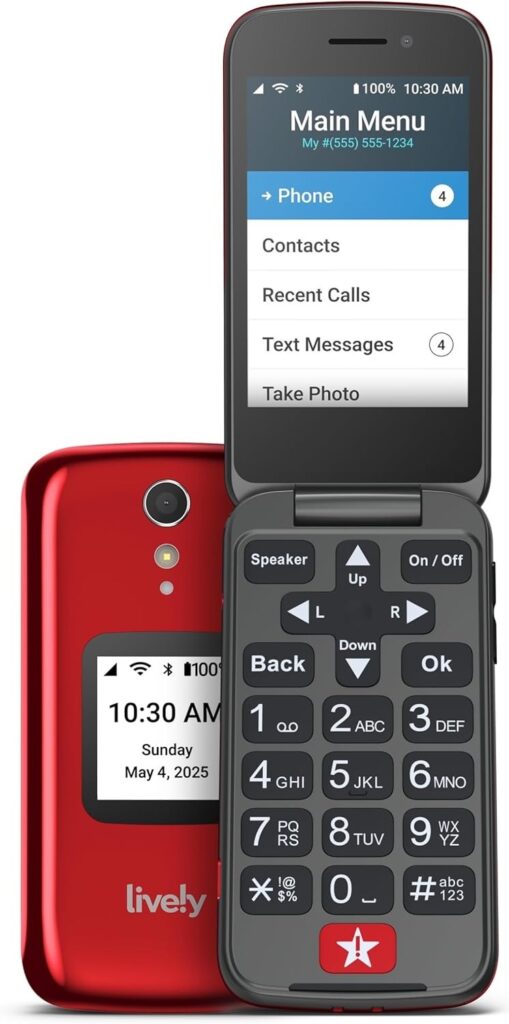
What truly separates the Jitterbug Flip2 from every other phone on this list is its dedicated Urgent Response button on the back of the device. When pressed, it connects directly to a trained Lively agent available 24 hours a day, 7 days a week. That agent speaks with your parent, assesses the situation, and can independently dispatch emergency services anywhere in the United States —
without relying on a family member being available to answer. This is a fundamentally different level of protection compared to the basic SOS buttons on other phones that simply dial preset contacts who may be asleep, unavailable, or unable to help remotely. Urgent Response is available as an add-on for $19.99/month on top of the base Lively plan, which starts at $14.99/month makes this Best Large Button Phones for Seniors.
⚠️ Important Note: The Jitterbug Flip2 only works on Lively’s own network — it is not compatible with AT&T, T-Mobile, Verizon, or any other carrier. A Lively service plan is required at activation. For Canadian families, Lively service is available in select areas — confirm coverage before purchasing.
- 📱 Display: 3.2″ internal / 1.44″ external
- 🔋 Battery: 10 hrs talk time / 4 days standby
- 📷 Camera: 8MP rear / 5MP front
- 🦻 Hearing Aid: M4/T4 (highest rating)
- 💾 Storage: 16GB internal / 32GB expandable
- 💰 Current Price:
$79.99$35.44 on Amazon (56% off) - 📋 Plan required: From $14.99/month
✅ Best for: Seniors living alone who need the simplest possible phone combined with the strongest professional emergency response available in North America.
3. Jitterbug Smart4 by Lively — Best Smartphone for Seniors
For seniors who want to video call grandchildren, use WhatsApp, browse family photos, or send longer messages — but feel completely lost on a standard iPhone or Samsung — the Jitterbug Smart4 is the most purpose-built senior smartphone available in 2026. With 680 Amazon reviews averaging 4.0 out of 5 stars and over 500 units purchased in the past month, it consistently ranks among the most bought senior smartphones on the market today.
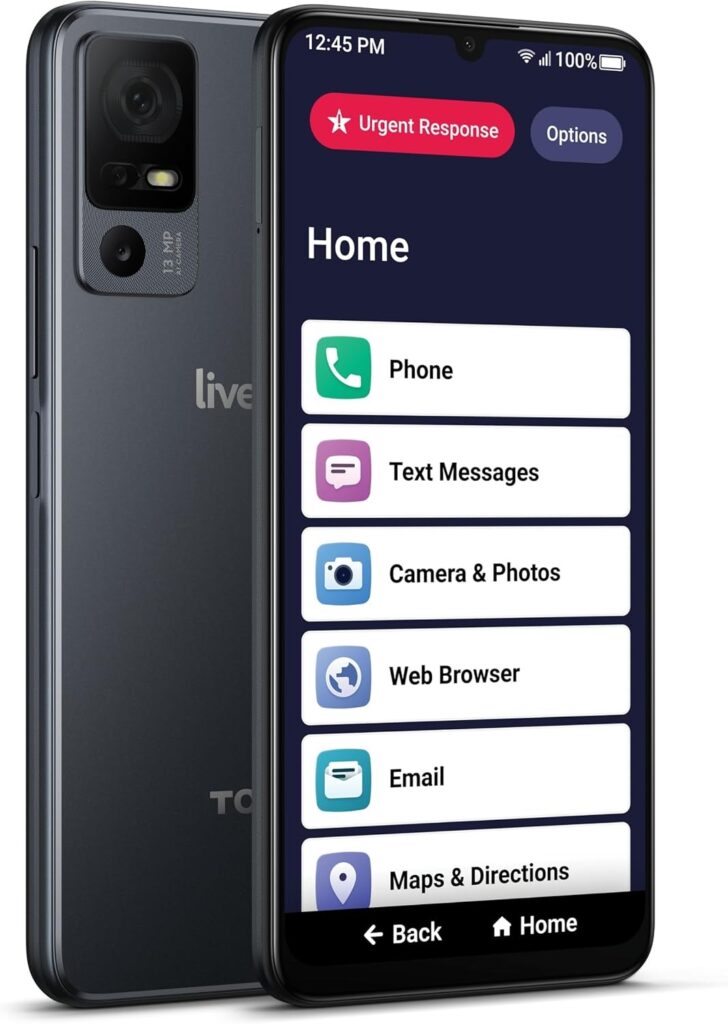
The most striking feature is the 6.75-inch display — significantly larger than most flagship iPhones — making text, contacts, and icons dramatically easier to read without squinting or zooming. As one verified Amazon buyer summarized it perfectly: “The display is easy to read, and the layout is very straightforward, which makes it especially suitable for seniors or anyone who prefers a no-fuss device.” Rather than the overwhelming app grid of a standard Android phone, the Smart4 presents everything as a clean, single-column list menu with calls, messages, and the emergency button right at the top — in the order seniors actually use them. One reviewer bought it for her elderly mother who had never owned a cell phone before: “She picked it up really quickly because the user interface is clean and simple and ideal for anyone who didn’t grow up with touch screens.”
The dual speakers deliver loud and clear audio for most calls, and the phone carries an M3/T4 hearing aid compatibility rating making it suitable for seniors with moderate hearing loss.
One standout feature exclusive to the Smart4 is real-time call captioning — spoken words appear as live text on screen during phone calls, a genuinely useful feature for seniors with significant hearing impairment. The 4,850 mAh battery delivers up to 37 hours of talk time with fast charging back to full in just 2.5 hours — meaning most seniors only need to charge it every other day. The Smart4 also includes a 13MP rear camera and 5MP front camera for video calls, GPS navigation, Hey Google voice assistant, and the Lively Link caregiver app that lets adult children check in on their parent’s activity remotely without calling every hour.
Like the Flip2, the Smart4 includes the same dedicated Urgent Response button on the top of the device, connecting directly to a trained Lively agent 24 hours a day, 7 days a week — who can assess the situation and independently dispatch emergency services anywhere in the United States.
⚠️ Honest Drawbacks — What Buyers Are Saying
No phone review is complete without the downsides, and the Smart4 has a few worth knowing before you buy:
- Speaker volume complaints are common. Multiple verified reviewers note the max volume is not loud enough for seniors with significant hearing loss without a hearing aid. One buyer wrote: “The speaker phone even at max volume does still sound a bit low for my hearing-impaired parents.” If your parent has severe hearing loss without hearing aids, the Jitterbug Flip2 has stronger speaker output.
- No “Lift to Wake” feature. Your parent must press a small side power button to wake the screen — it does not activate automatically when picked up. One reviewer flagged this specifically: “If she tries to initiate using the phone, the only way to turn the screen on is to push a small and hard to see power button on the edge of the phone.” This can be frustrating for seniors with reduced dexterity.
- Lively-only network. The Smart4 is not compatible with AT&T, T-Mobile, Verizon, or any other carrier. A Lively plan starting at $19.99/month is required at activation.
- Data throttling after 20GB. Unlimited data slows dramatically to 128Kbps after 20GB — relevant for seniors who stream video or use WiFi as their main internet source.
- Activation can take time. Some reviewers report long hold times for customer service at setup. Activating online rather than by phone avoids most of this.
Quick Specs:
- 📱 Display: 6.75″ touchscreen, 1560×720
- 🔋 Battery: 37 hrs talk time / fast charge 2.5 hrs
- 📷 Camera: 13MP rear / 5MP front / video call ready
- 🦻 Hearing Aid: M3/T4
- 💾 Storage: 32GB / 4GB RAM
- 🗺️ GPS: Yes
- 💰 Current Price: $47.98 on Amazon
- 📋 Plan required: From $19.99/month (Lively only)
✅ Best for: Seniors who want video calls, photos, and messaging with a large easy-to-read screen and a professional 24/7 emergency response button — and who don’t have severe hearing loss without hearing aids.
👉 Check Current Price on Amazon →
We hope this guide helps your family find the perfect phone — and the peace of mind that comes with it.”
4. Nokia 2760 Flip — Best Battery Life
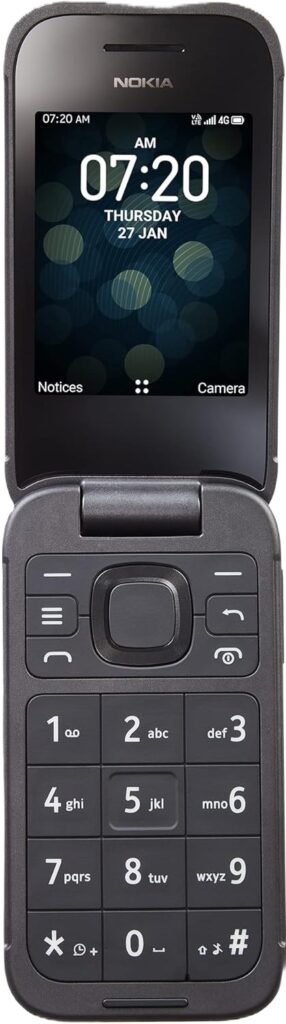
At just $49.99 with no required monthly service contract, the Nokia 2760 Flip is the most affordable phone on this list — and it earns its place for one headline reason: extraordinary battery life. Real-world testing by verified users confirms the Nokia 2760 Flip lasts a full 7 days on a single charge under normal use, and up to 18–21 days on standby for light users. That’s not a typo. While every other phone on this list needs charging every one to two days, the Nokia 2760 Flip can sit on a nightstand for a week without touching a charger. For seniors who regularly forget to plug in their devices overnight — or families who worry about finding a dead phone in an emergency — this is a genuinely meaningful advantage no smartphone can match.
The phone runs on KaiOS 3.0, a lightweight operating system that keeps the interface clean and simple. Opening the flip answers calls automatically, closing it ends them — exactly the intuitive behavior seniors expect from a flip phone. The physical keypad has large, clearly spaced buttons, a 3.5mm headphone jack is included, and 4G LTE connectivity means clear calls in most of the US and Canada. Unlike the Jitterbug phones, the Nokia 2760 works on Tracfone’s network, which covers AT&T, T-Mobile, and Verizon towers — giving it broad national coverage without locking families into one carrier. The phone also includes built-in GPS, a 5MP rear camera with flash, email, and a web browser.
⚠️ Honest Drawbacks — What Buyers Are Saying
This phone has real strengths, but the Amazon reviews are notably mixed — and your readers deserve the full picture:
- Activation problems are the #1 complaint. Multiple buyers report receiving phones that could not be activated because barcodes were not scanned before shipping. One reviewer wrote: “I had to take this phone in person to a local Walmart to get it activated.” If this happens, Amazon’s return process is straightforward — but it is an inconvenience.
- Not as senior-friendly as it looks. Several buyers who purchased this specifically for elderly parents were disappointed. One reviewer said: “I bought this for an 85-year-old, I thought it would be self-explanatory and simple. Not so much. No clear indication for call and end, texting is not like the old school flip phones of the past.” The Jitterbug Flip2 remains a better choice for seniors who need maximum simplicity.
- No lock screen. The phone has no screen lock or PIN protection, meaning anyone who finds it can access calls and contacts immediately.
- Build quality concerns. The front screen scratches easily and the casing feels lightweight plastic. One buyer noted the phone started glitching and freezing after a few weeks of use.
- No WhatsApp. Despite running KaiOS, this Tracfone version does not include WhatsApp. If messaging apps matter to your parent, the Jitterbug Smart4 is the better choice.
- Talk time is short at 3.8 hours. The exceptional battery life is almost entirely on standby. For seniors who make frequent long calls, this could be a limitation.
Quick Specs:
- 📱 Display: 1.77″ external + internal screen
- 🔋 Battery: 7 days real use / 21 days standby
- 📷 Camera: 5MP rear with flash
- 🎧 Headphone Jack: Yes — 3.5mm (rare!)
- 💾 Storage: 4GB internal
- 🗺️ GPS: Yes
- 📡 Network: Tracfone (AT&T/T-Mobile/Verizon towers)
- 💰 Current Price: $49.99 on Amazon
- 📋 Plan required: Tracfone prepaid plans (no contract)
⭐ 4.1 out of 5 stars — 311 Amazon reviews
🔥 100+ bought in the past month | Amazon Overall Pick
✅ Best for: Seniors who regularly forget to charge their phone and primarily need calls and texts — not for seniors who need a very simple interface or messaging apps.
👉 Check Current Price on Amazon →
At $49.99 with no contract required, it’s the most risk-free phone on this entire list to try.”
5. Artfone C1+ — Most Affordable Option
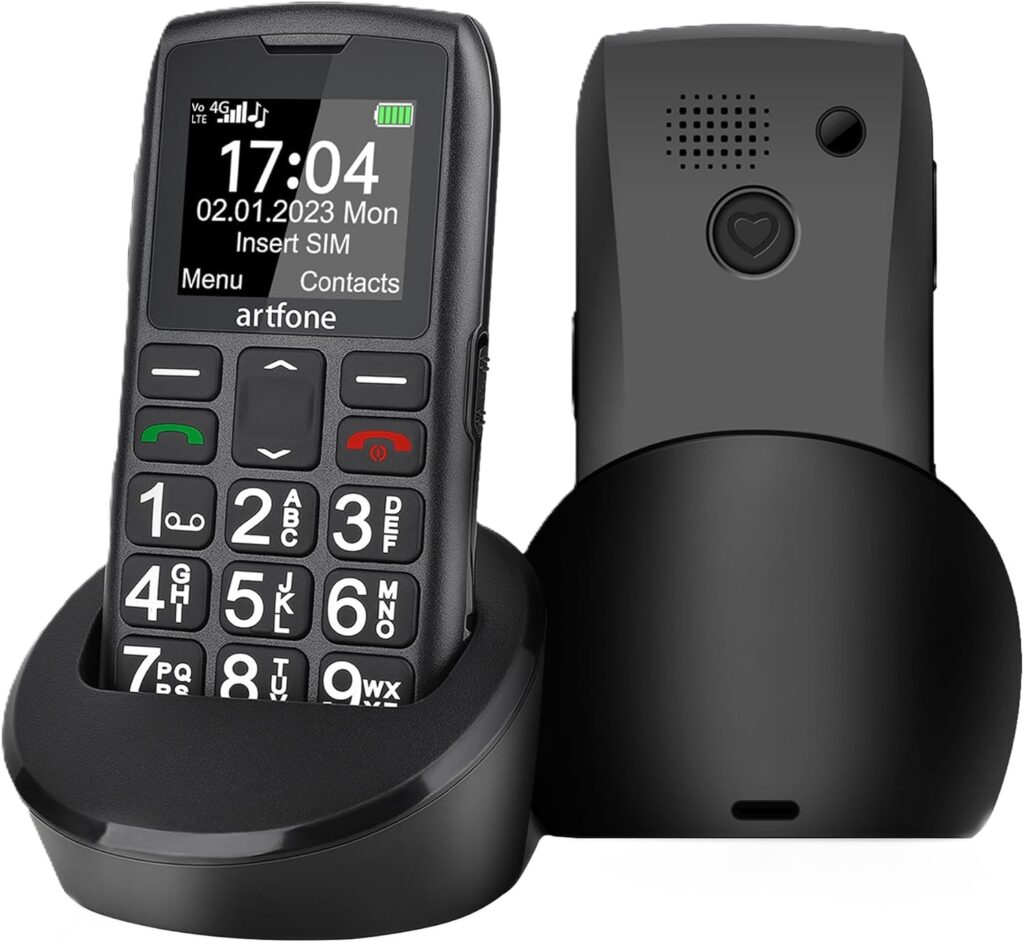
If you are searching for a simple, no-fuss phone for an elderly parent, the Artfone C1+ looks attractive on paper — 4G support, big buttons, SOS emergency feature, and a charging dock all for $69.99. But after analyzing real customer experiences, the truth is more nuanced. Here’s everything you need to know before buying.
What Is the Artfone C1+?
The Artfone C1+ is a basic 4G bar-style keypad phone designed specifically for seniors. It runs on a simple RTOS operating system (not Android), has a 1.8-inch color LCD screen, and focuses on the core needs of elderly users: loud clear calls, big buttons, emergency SOS, and long battery life.
Key Specs at a Glance
| Feature | Detail |
|---|---|
| Network | 4G LTE / VoLTE |
| Screen | 1.8 inch LCD |
| Battery | 1800mAh (~7 days standby) |
| SOS Button | Yes – calls up to 5 contacts |
| Buttons | Large physical keypad |
| Charging | USB-C + charging dock included |
| Weight | 150g |
| SIM | Nano SIM, single slot |
| Carrier | Unlocked (no CDMA) |
What We Like — Real Pros ✅
1. Genuinely Big Buttons
The large physical keypad is the standout feature. One verified buyer purchased it for his 95-year-old mother and noted the buttons made it easy for her to dial without assistance. For seniors with arthritis or reduced dexterity, this matters a lot.
2. SOS Emergency Button
The rear SOS button can be pre-programmed to automatically call up to 5 emergency contacts in sequence. For seniors living alone, this is a genuine safety net that many competing phones in this price range don’t offer.
3. 4G VoLTE — Works on Most Major Carriers
Unlike older senior phones stuck on 2G (which many carriers have shut down), the C1+ runs on 4G LTE and supports VoLTE for clear voice calls. It works with AT&T, T-Mobile, and most US 4G networks — though it does NOT support legacy CDMA carriers like some rural providers.
4. Charging Dock Included
This is a small but thoughtful detail. Instead of fumbling with a cable, your elderly parent just drops the phone into the dock. Simple, daily convenience that makes a real difference.
5. Talking Number Feature
When a number is dialed, the phone reads each digit aloud. This is a helpful accessibility feature for seniors with early-stage vision problems during voice calls.
6. Long Battery Life
The 1800mAh battery delivers approximately 7–10 days of standby time and 7–8 hours of talk time. For a senior who forgets to charge regularly, this is reassurance the phone will still be ready when needed.
What We Don’t Like — Real Cons ⚠️
1. Screen Too Small for Visually Impaired Seniors
At only 1.8 inches, the screen is a genuine problem if your elderly parent needs to read text messages. One buyer purchased it for his 90-year-old visually impaired mother and had to return it because incoming texts were impossible to read. If reading texts matters, this phone will disappoint.
2. Setup Can Be Confusing
Multiple buyers reported that setting up speed dial and understanding the menu took more steps than expected, and the instruction manual was hard to follow. If your senior will be setting it up alone, plan to help them in person.
3. Volume Not Loud Enough for the Hard of Hearing
This is the most surprising complaint for a phone marketed at seniors. One buyer’s hard-of-hearing father could not use it at all because the earpiece volume was insufficient. If your elderly parent has hearing loss, test this phone carefully before committing — or consider a phone with a dedicated hearing-aid compatibility (HAC) rating.
4. Not Compatible with CDMA Networks
The C1+ will not work on legacy CDMA networks. If you are in a rural area that relies on CDMA coverage, this phone will simply not connect. Check your carrier compatibility first.
5. Durability Concerns
A small number of buyers reported the phone stopped working within a few days of use. While this could be isolated units, it is worth keeping in mind for a phone marketed to a vulnerable user group.
🟢 Who Should Buy the Artfone C1+
- ✅ Seniors who mainly make and receive voice calls (not heavy texters)
- ✅ Elderly users with arthritis or shaky hands who need large physical buttons
- ✅ Families who want a SOS emergency phone for a parent living alone
- ✅ Seniors on AT&T, T-Mobile, or any major 4G LTE carrier
- ✅ Anyone who wants simple, no-smartphone confusion — just dial and talk
- ✅ Caregivers who want photo speed dial so seniors can call family by face, not number
🔴 Who Should Skip the Artfone C1+
- ❌ Seniors who are hard of hearing — earpiece volume may not be loud enough
- ❌ Visually impaired seniors who need to read text messages — screen is only 1.8 inches
- ❌ Anyone in a rural CDMA coverage area — this phone will not connect
- ❌ Seniors who will set up the phone alone — initial setup needs family assistance
- ❌ Anyone who needs a durable, heavy-use phone — some units reported early failure
Final Verdict
The Artfone C1+ earns its place as a solid basic call phone for seniors who are primarily making voice calls on a major 4G carrier. The big buttons, SOS feature, and charging dock are genuine wins. However, the small screen, potential volume issues for the hard of hearing, and confusing setup process mean it is not a one-size-fits-all solution for every senior.
Rating: 3.2 / 5 — Good for the right senior, but know its limitations before buying.
👉 Check current price on Amazon
6. Doro Leva E22 — Best Flip Phone for Seniors with Hearing Aids
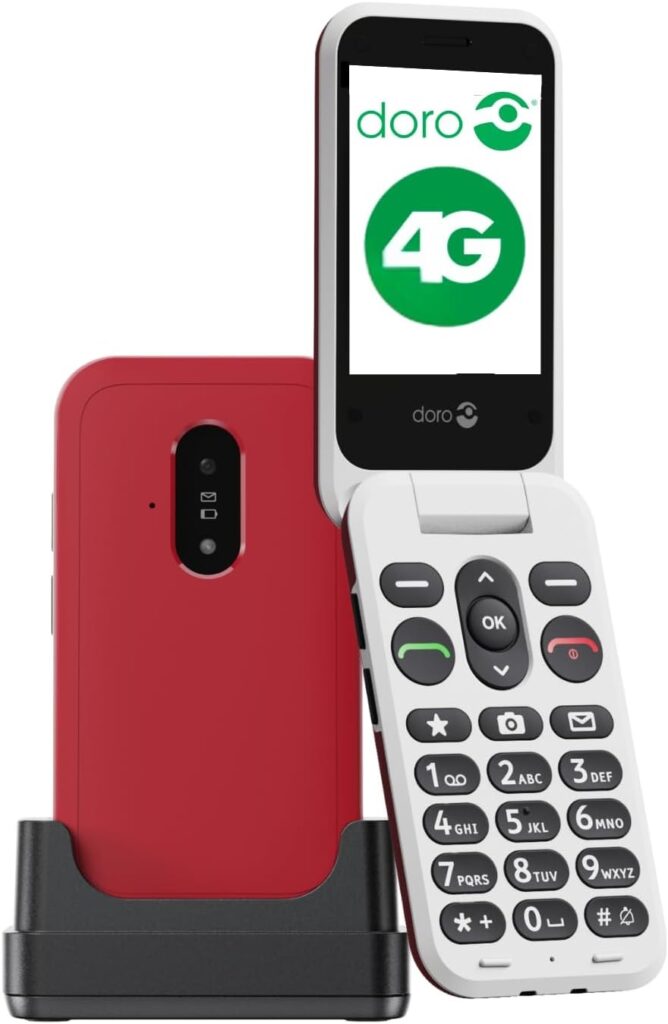
.The Doro Leva E22 is a 4G flip phone specifically engineered for elderly users by Doro, a Swedish brand with decades of experience making senior-focused mobile phones. Unlike cheap budget senior phones, the Leva E22 is built around hearing aid compatibility (HAC), HD audio, and a genuinely easy setup experience.
Key Specs at a Glance
What We Like — Real Pros ✅
1. Hearing Aid Compatible (HAC M4/T4)
This is the standout feature that separates the Leva E22 from cheaper senior phones. It carries an official HAC M4/T4 rating, meaning seniors who wear hearing aids can use this phone comfortably without interference or feedback. This alone makes it worth considering for many elderly users.
2. Genuinely Loud and Clear Audio
Multiple verified buyers across the UK, France, Germany, and Italy confirmed the audio quality is excellent. One UK buyer reported his wife “finds it easy to use having large keys and a clear easy-to-read screen” after upgrading from an older Doro 2G model. The three selectable audio profiles including Doro ClearSound make this the real deal for clear calls.
3. Flip Design — Practical Safety Feature
The clamshell/flip design is more than just nostalgia. It protects the screen when in a pocket or handbag, and opening/closing the phone to answer and end calls is instinctive for seniors who used mobile phones in the 1990s-2000s.
4. Easy Setup — Confirmed by Real Buyers
A UK buyer purchased it as a gift for a pensioner and noted it was “so simple” to set up — a direct contrast to the Artfone C1+ complaints we saw earlier. Doro’s reputation for senior-friendly setup is well earned here.
5. IP54 Splash and Dust Protection
At $227, you expect build quality — and the IP54 rating delivers it. Accidental spills, dusty environments, and everyday drops are handled with more resilience than budget options.
6. Doro Secure Emergency Button
The rear Secure button automatically sends an SMS alert and then calls trusted contacts in sequence in emergencies. One French buyer specifically praised this feature as ideal for keeping elderly relatives safe from phone spam using the whitelist feature — only pre-approved contacts can call through.
7. Large 2.8″ Screen with High Contrast Keys
At 2.8 inches with high-contrast keypad, this is considerably more usable than the Artfone C1+’s 1.8″ screen — a major practical advantage for visually impaired seniors who still need to read texts.
What We Don’t Like — Real Cons ⚠️
1. Price — $227 is Steep
At over three times the cost of the Artfone C1+, this is a significant investment. Buyers should weigh whether the premium features justify the price for their specific situation. In Europe the same phone sells for around €70–85, making the US Amazon pricing notably higher.
2. Battery Only 1150mAh
This is the weakest point on paper. The 1150mAh battery is smaller than the Artfone C1+’s 1800mAh. Real-world use should be adequate for a senior’s typical daily calls, but heavy users may need to charge daily.
3. No Charger Plug Included — USB-C to USB-C Cable Only
One UK buyer flagged a frustrating unboxing issue: the box includes a USB-C to USB-C cable and cradle, but no wall plug adapter. Standard wall USB sockets use USB-A, so without a USB-C wall adapter already at home, the charging cradle is useless out of the box. Make sure you have a USB-C wall adapter or purchase one alongside.
4. Carrier Compatibility Issues Reported
One UK buyer found the phone showed very poor signal on O2/Tesco Mobile despite being marketed as 4G. This is likely a network band compatibility issue for certain regional carriers. Always verify your specific carrier’s 4G bands before purchasing.
5. One Durability Complaint
A French buyer reported the phone stopped working after one and a half months of use and had difficulty reaching customer service. While isolated, it is worth noting for a premium-priced product.
Who Should Buy / Who Should Skip
🟢 Who Should Buy the Doro Leva E22
- ✅ Seniors who wear hearing aids — HAC M4/T4 certified for interference-free calls
- ✅ Elderly users who want a flip phone design for familiar ease of use
- ✅ Families who want a phone that is genuinely easy to set up without IT support
- ✅ Seniors who need to read texts — 2.8″ screen is much better than budget options
- ✅ Anyone wanting IP54 splash protection for kitchen/outdoor use
- ✅ Seniors upgrading from an older 2G/3G Doro — seamless step up
🔴 Who Should Skip the Doro Leva E22
- ❌ Anyone on a tight budget — $227 is expensive; better value alternatives exist
- ❌ Seniors on certain regional or rural carriers — verify band compatibility first
- ❌ Heavy phone users who need all-day battery without charging
- ❌ Anyone who doesn’t have a USB-C wall adapter at home — one is not included
- ❌ Seniors who need a very large screen (e.g. visually impaired) — 2.8″ may still be small
Doro Leva E22 vs Artfone C1+ — Quick Comparison
| Feature | Doro Leva E22 | Artfone C1+ |
|---|---|---|
| Price | $227 | $69.99 |
| Screen | 2.8″ | 1.8″ |
| Form factor | Flip | Bar/brick |
| HAC hearing aid | ✅ Yes | ❌ No |
| IP rating | IP54 | ❌ None |
| Battery | 1150mAh | 1800mAh |
| Rating (Amazon) | 4.4/5 (95 reviews) | 2.8/5 (23 reviews) |
| Setup ease | Easy (confirmed) | Difficult (reported) |
| Best for | Hearing aid users, flip fans | Basic call-only, budget buyers |
Final Verdict
The Doro Leva E22 is genuinely one of the best senior flip phones available if your budget allows. The hearing aid compatibility, easy setup, clear audio, and IP54 build quality justify Doro’s premium reputation. The main watch-outs are the steep US price, the missing wall charger plug, and verifying carrier band compatibility before buying.
👉 Check current price on Amazon
7. TCL Flip 4 5G — Best Future-Proof Choice
What Is the Alcatel Go Flip 4?
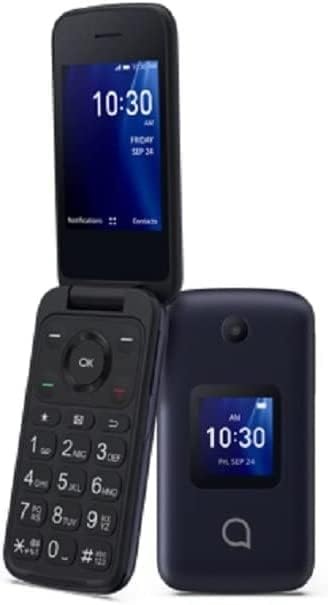
The Alcatel Go Flip 4 (model 4056W) is a refurbished (renewed) 4G Android-based flip phone sold at $69.99. It runs KaiOS 3.2 — a lightweight smart operating system — rather than full Android, meaning it sits between a basic phone and a smartphone. It is T-Mobile only — this is non-negotiable and the most important fact to know before buying.
Key Specs at a Glance
| Feature | Detail |
|---|---|
| OS | KaiOS 3.2 |
| Screen | 2.8″ AMOLED (320×240) |
| Network | 4G LTE — T-Mobile ONLY |
| Storage | 4GB + expandable |
| Battery | 1150 mAh |
| Camera | Front + rear |
| GPS | Yes |
| Wi-Fi | Yes |
| Condition | Renewed (refurbished) |
| Warranty | 90 days only |
| Water resistance | None |
What We Like — Real Pros ✅
1. KaiOS — More Than a Basic Phone
Unlike the Artfone C1+ or Doro Leva E22, the Go Flip 4 runs KaiOS 3.2, which means access to basic apps like maps, a real web browser, and potentially WhatsApp. One verified buyer noted it works well as “a decent KaiOS device” with surprisingly good camera quality. This gives tech-curious seniors a bit more flexibility without the complexity of a full Android smartphone.
2. Excellent Battery Life
One buyer measured only about 10% battery drain per day on light use — meaning potentially 10 days between charges. For seniors who forget to charge, this is a standout advantage. Turning on airplane mode when idle makes it even better.
3. Great Value at $69.99
Buying renewed means you get flip phone form factor with KaiOS features at a fraction of the cost. One buyer bought it for his father and reported great connectivity and lasting battery since purchase.
4. Sturdy and Reliable for Calls
Multiple buyers confirmed no dropped calls, good call quality, and easy-to-read numbers on screen. One buyer described it as “very sturdy, easy to use, great quality.”
5. Flip Design Seniors Already Know
The classic clamshell shape protects the screen, prevents pocket dials, and feels familiar to seniors who used flip phones in the past.
What We Don’t Like — Real Cons ⚠️
1. T-Mobile ONLY — This Is a Hard Lock
This is the single biggest limitation. The 4056W model is carrier-locked to T-Mobile and will not work on AT&T, Verizon, or any other network. If your senior is not on T-Mobile, this phone is simply not an option. No exceptions.
2. Renewed = Refurbished — Only 90 Days Warranty
This is not a new phone. It is a previously used, refurbished unit. The 90-day warranty is significantly shorter than new phones. One buyer received a unit with a missing back cover — a quality control issue that comes with the refurbished territory.
3. KaiOS — Not Real Android
The listing says “Android” in the specs but the phone actually runs KaiOS 3.2, which is NOT Android. Apps are very limited compared to a real Android phone. Some captive Wi-Fi portals (like hotel or café Wi-Fi login pages) can freeze the browser and lock up the phone entirely — a reported real-world issue.
4. No Speakerphone Easily Found
One buyer was surprised to find no obvious hands-free speakerphone button and spent time searching the menus for it. For seniors who rely on speakerphone for calls, this setup confusion is worth knowing upfront.
5. Internet Not Filtered
One buyer noted the phone “has access to the internet and is not fully filtered.” If you are buying this for a vulnerable senior and want to restrict internet access, there is no built-in parental/content control easily available.
6. Low Screen Resolution
At 320×240, this is the lowest screen resolution of the three phones reviewed. Text and images will look noticeably less sharp than the Doro Leva E22.
Who Should Buy / Who Should Skip
🟢 Who Should Buy the Alcatel Go Flip 4
- ✅ T-Mobile customers only — confirmed network compatibility is essential
- ✅ Seniors who want a flip phone on a tight budget (~$70)
- ✅ Elderly users who want slightly more than a basic phone — light web browsing, maps, camera
- ✅ Families buying a secondary/backup phone for a parent
- ✅ Seniors with good battery anxiety — exceptional standby life
🔴 Who Should Skip the Alcatel Go Flip 4
- ❌ Anyone not on T-Mobile — full stop
- ❌ Seniors who need a new phone with full warranty — refurbished only gets 90 days
- ❌ Anyone expecting full Android apps — KaiOS is limited
- ❌ Seniors who rely heavily on speakerphone — not straightforward to activate
- ❌ Families wanting internet-restricted phones for vulnerable seniors
Three-Way Comparison: Which Senior Phone is Right?
| Feature | Alcatel Go Flip 4 | Doro Leva E22 | Artfone C1+ |
|---|
| Feature | Alcatel Go Flip 4 | Doro Leva E22 | Artfone C1+ |
|---|---|---|---|
| Price | $69.99 (renewed) | $227 | $69.99 (new) |
| Condition | Refurbished | New | New |
| OS | KaiOS | Mocor RTOS | Mocor RTOS |
| Screen | 2.8″ AMOLED | 2.8″ LCD | 1.8″ LCD |
| Carrier | T-Mobile ONLY | Unlocked | Unlocked |
| HAC hearing aid | ❌ No | ✅ Yes | ❌ No |
| Wi-Fi / Apps | ✅ Yes (KaiOS) | ❌ No | ❌ No |
| Warranty | 90 days | Standard | Standard |
| Rating | 3.8/5 | 4.4/5 | 2.8/5 |
| Best for | T-Mobile budget buyers | Hearing aid users | Basic call-only |
Final Verdict
The Alcatel Go Flip 4 is a smart budget pick specifically for T-Mobile seniors who want more than a basic phone without paying smartphone prices. The KaiOS features, strong battery life, and familiar flip design make it genuinely useful — but the carrier lock, refurbished condition, short warranty, and KaiOS limitations mean it is not for everyone.
Rating: 3.8 / 5 — Good value for the right buyer, but know exactly what you’re getting.
👉 Check current price on Amazon
Large Button Phone Buying Guide for US and Canadian Families
Use these questions to narrow down the right choice for your parent’s specific situation:
Does your parent want a flip phone or a smartphone? If they have never used a touchscreen device, start with a flip phone. The learning curve is dramatically lower, and frustration — which often leads to the phone being abandoned — is minimal. If they already use WhatsApp, Facebook, or video calling of any kind, a simplified smartphone like the Jitterbug Smart4 or Doro 8100 will serve them far better.
How important is the emergency button? If your parent lives alone — which is the case for more than 14 million seniors in the United States and over 1.4 million in Canada — a dedicated emergency feature is non-negotiable. The Jitterbug devices connect to a professional 24/7 Lively response agent. The remaining phones on this list send calls and texts to preset family contacts. The Lively service offers stronger protection but requires a monthly service fee starting at $14.99.
What is your budget? Options on this list range from $35 to $149. For most North American families, the $59–$99 range covers every essential feature a senior needs. Only choose the higher-priced smartphone options if your parent specifically wants video calling or social media access.
Does your parent have significant hearing loss? The Jitterbug Flip2 offers the highest speaker volume and the strongest hearing aid compatibility rating on this list. If hearing loss is a primary concern, it is worth the additional cost over the budget options.
Which carrier will you use in the US or Canada? Most phones on this list are unlocked and compatible with major US carriers including AT&T, T-Mobile, and Verizon, as well as Canadian carriers including Rogers, Bell, Telus, and Freedom Mobile. Always confirm compatibility with your specific carrier before purchasing. Consumer Cellular — one of the most popular carriers among US seniors — works with the IRIS Easy Flip and the Jitterbug devices.
Frequently Asked Questions
What is the easiest large button phone for a senior who has never used a cell phone before?
The Consumer Cellular IRIS Easy Flip and the Jitterbug Flip2 are consistently the easiest starting points for complete first-time users. Both have physical keypads, minimal menus, and zero learning curve for seniors who used basic phones before smartphones became standard. The Jitterbug Flip2 also includes a printed quick-start guide written specifically for seniors.
Can large button phones make video calls?
Basic flip phones like the IRIS Easy Flip and Artfone C1+ are designed exclusively for voice calls and SMS text messages — they do not support video calling. If video calls are a priority for your family, choose the Doro 8100, Jitterbug Smart4, or Nokia 2780 Flip, all of which support WhatsApp and standard video calling apps.
Do these phones work without a contract in the US and Canada?
The Artfone C1+, Nokia 2780 Flip, Doro 8100, and TCL Flip 4 5G are all sold unlocked and work with any compatible prepaid SIM card — including Consumer Cellular in the US and Freedom Mobile or Public Mobile in Canada. The Jitterbug Flip2 and Smart4 require a Lively service plan starting at $14.99 per month. The IRIS Easy Flip requires a Consumer Cellular plan starting from $20 per month.
What is the best large button phone for a senior with arthritis?
Prioritize phones with raised, well-spaced physical buttons over flat touchscreens. The Artfone C1+ and Jitterbug Flip2 both feature exceptionally tactile, raised buttons with clear number labeling that are easy to press with reduced hand strength or limited finger dexterity. Avoid any touchscreen-only device for seniors with significant arthritis in their hands or fingers.
Can I manage my parent’s phone remotely from another city?
The Doro 8100 offers the most comprehensive remote management through the Doro Response companion app, allowing family members to update contacts, adjust phone settings, and check in on usage from anywhere. The Jitterbug Smart4 also allows limited remote management through the Lively app. This feature is particularly valuable for adult children in the US or Canada who support aging parents from a distance.
What is the difference between an SOS button and an Urgent Response button?
An SOS button — found on the Artfone C1+, Nokia 2780 Flip, TCL Flip 4, and Doro 8100 — automatically calls and sends text alerts to a preset list of personal contacts, typically family members. An Urgent Response button — found exclusively on Jitterbug devices — connects to a professional, staffed 24/7 response center. Lively’s trained agents can assess the situation verbally and dispatch emergency services independently, without relying on a family member being available to answer. For seniors living alone, this distinction is significant.
Are these phones compatible with hearing aids?
Most phones on this list carry an M3/T4 hearing aid compatibility rating, which indicates minimal interference with telecoil-equipped hearing aids — the most common type used by seniors in North America. The Jitterbug Flip2 carries the highest hearing aid compatibility rating on this list. Always verify the specific hearing aid compatibility rating (M3 or higher, T3 or higher) when purchasing any phone for a senior with hearing loss.
Conclusion
Staying connected with the people who matter most should never be complicated or frustrating. The best large button phones for seniors in 2026 do exactly what a phone is supposed to do — they make calling easy, keep emergency help one button press away, and give families across the United States and Canada genuine peace of mind.
For seniors who have never used a mobile phone before, the Consumer Cellular IRIS Easy Flip at $59 is the safest and simplest starting point available. For parents who live alone and need the most reliable emergency protection in North America, the Jitterbug Flip2 is worth every dollar of its $99 price. For seniors who are socially active and want to video call grandchildren and stay connected on WhatsApp, the Jitterbug Smart4 or Doro 8100 offer everything a smartphone provides, without any of the complexity that makes standard devices so frustrating.
The right phone does far more than keep your parent reachable. It restores their confidence, protects their independence, and gives your entire family the comfort of knowing that help is always just one large button press away.
One Comment